Key takeaways
- The Model Context Protocol (MCP) is an open standard for connecting AI applications to tools, data and services through one consistent interface.
- Instead of building a custom integration for every tool and every AI product, you build one MCP server and any compatible AI client can use it.
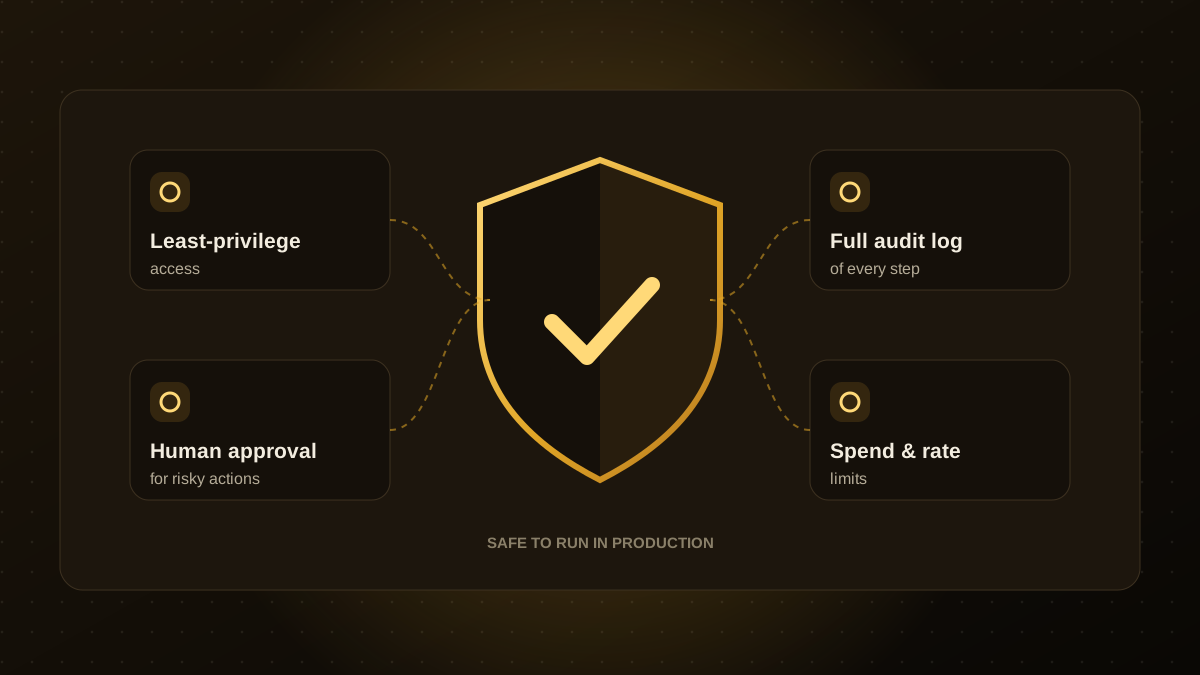
- MCP makes agents more useful, but it also widens what an agent can touch, so permissions, approvals and logging matter even more.
- Good first projects expose read-only data, such as documents or reports, before allowing actions that change records.
- Treat an MCP server like any production API: authenticate it, scope it narrowly and monitor it.
The problem MCP solves
An AI model on its own can only work with the text you give it. To be useful in a business, it needs to look things up and take actions: read a customer record, check a calendar, create a ticket, post an update. Before MCP, every connection between an AI product and a tool was built as a custom, one-off integration. Ten tools and three AI products meant thirty separate integrations to build and maintain.
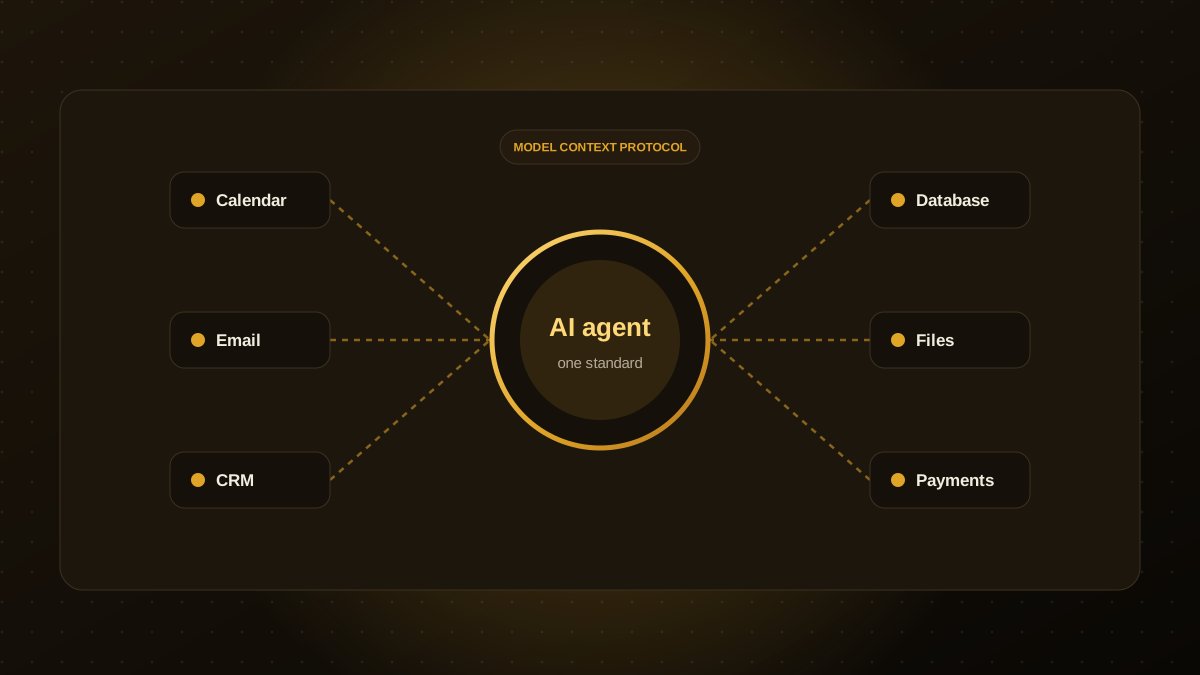
The Model Context Protocol, introduced by Anthropic and since adopted widely across the industry, standardises that connection. Think of it as a common plug: tools expose themselves once through an MCP server, and any MCP-compatible AI client can use them.
How MCP works in plain terms
- MCP server. A small service that sits in front of a tool or data source, such as your CRM, a database or a document store, and describes what it can do.
- MCP client. The AI application or agent that connects to servers and decides when to use them.
- Tools, resources and prompts. A server can offer actions the agent may call (tools), read-only information it may pull in (resources) and reusable instructions (prompts).
When a user asks, "Which invoices are overdue for Acme?", the agent sees an accounting tool described by the server, calls it with the right parameters and uses the result to answer, all without a bespoke integration.
What it enables for a business
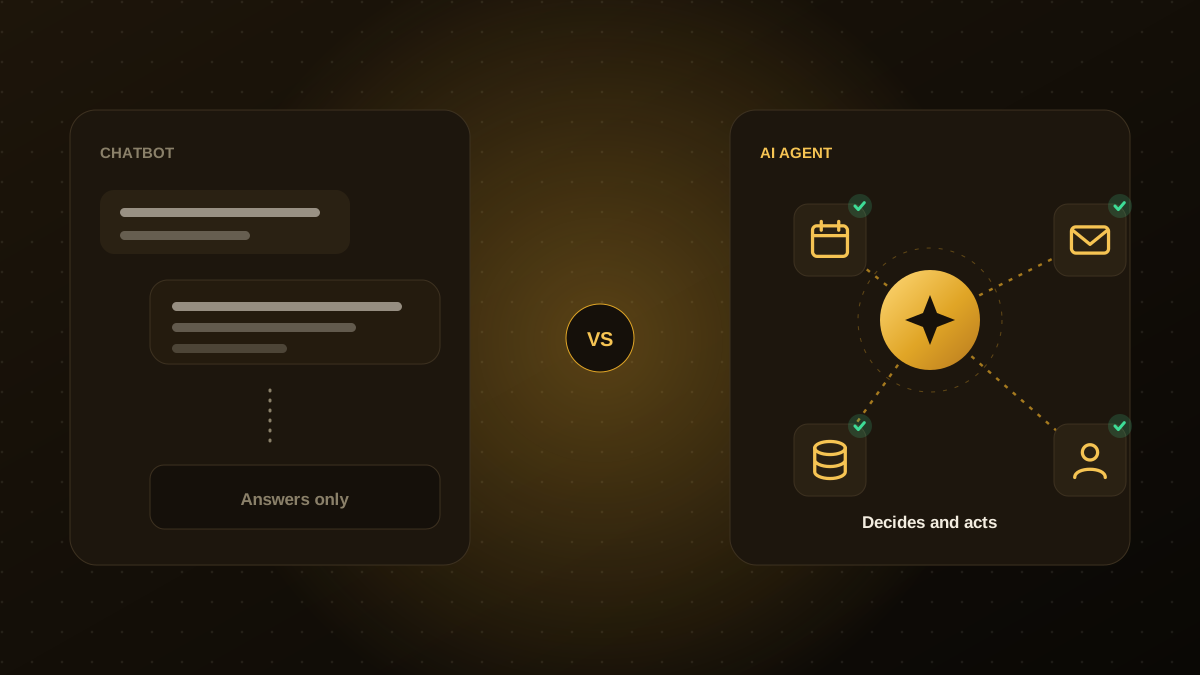
- Agents that act, not just answer. Create records, schedule meetings or update tickets from a conversation.
- Less integration work. Build one server per system instead of one connector per AI product.
- Freedom to switch models. Because the integration is standard, you are less locked in to a single AI vendor.
- A clear place to enforce rules. The server is a natural spot to apply permissions, validation and logging.
The risks to plan for
A standard way to connect agents to everything also makes it easier to connect them to too much. Common risks include over-broad permissions, agents acting on instructions hidden in content they read (prompt injection), and servers from unknown sources that you have not reviewed. The safeguards in our guide to AI agent guardrails apply directly: least-privilege access, human approval for risky actions, logging and limits.
Only install MCP servers you trust, review what each tool can do, and never give a server broader credentials than its job requires.
A sensible way to start
- Pick one system with clear value, such as your knowledge base or reporting database.
- Expose read-only tools first. Let the agent search and summarise before it can change anything.
- Add write actions one at a time, each with validation and, where needed, human approval.
- Log every call and review a sample weekly.
- Test with real questions before widening access.
Build or use existing servers?
Many popular tools already have MCP servers published by vendors or the community, which can save time for common systems. For internal systems, proprietary data or anything with strict security requirements, a custom server built to your standards is usually the safer route. It lets you decide exactly which operations are exposed and how they are authenticated. If you want help designing one, see our MCP server development service.

Qodexify is a remote-first team of senior engineers building web apps, AI agents, workflow automation and websites. Learn more about our MCP server development service or talk to an engineer.