Key takeaways
- Most migration problems come from data, not code: duplicates, missing fields, inconsistent formats and rules nobody wrote down.
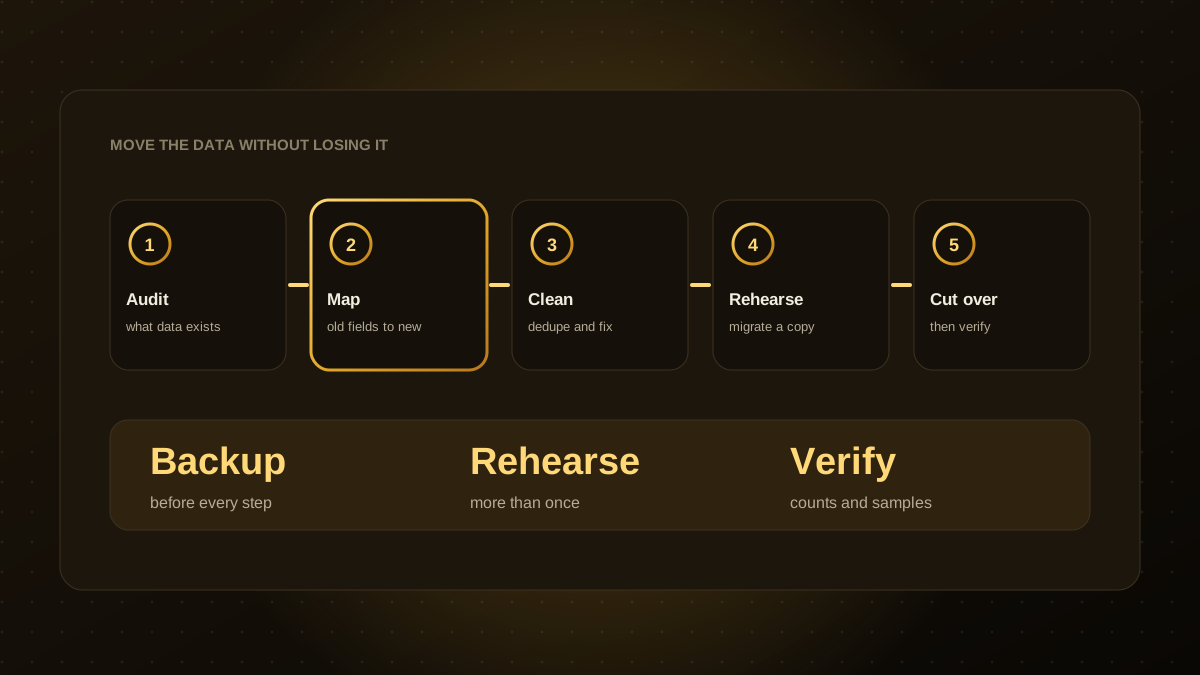
- Audit and map the data first, clean it before moving it and rehearse the migration on a copy more than once.
- Take a backup before every step, and keep the old system available until the new one is proven.
- Verify with record counts, totals and sampled checks, and ask real users to confirm.
- Plan the cutover carefully, including a freeze on changes, a rollback plan and clear communication.
Why migrations go wrong
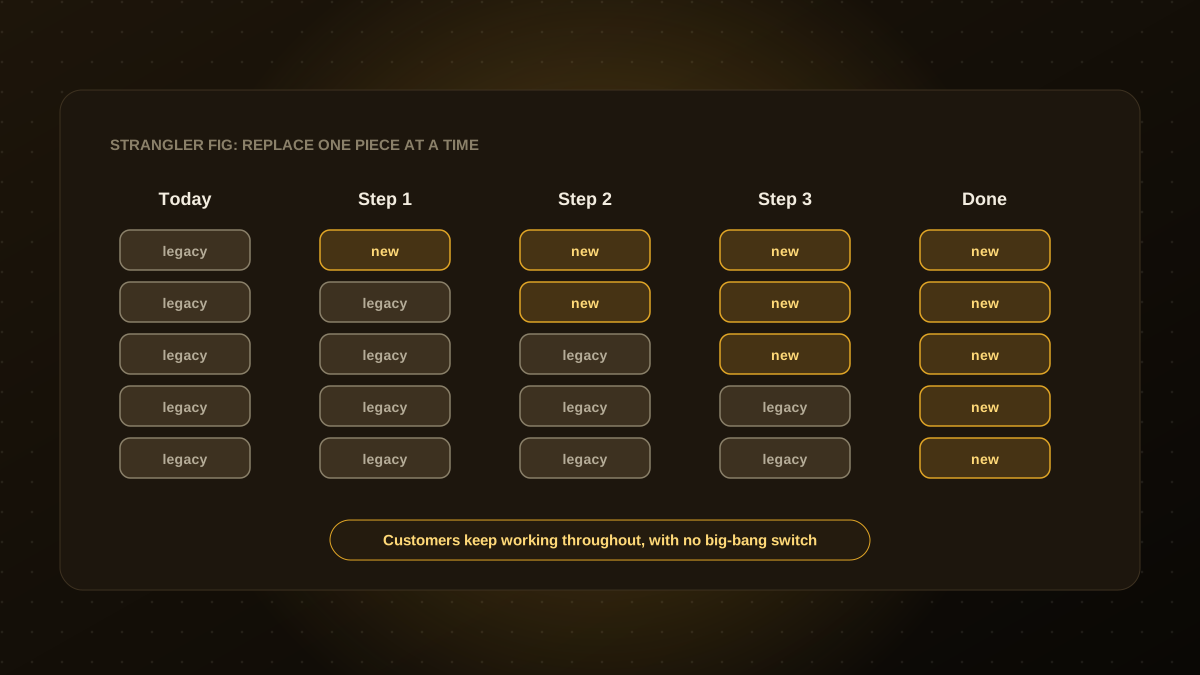
Software projects often budget carefully for the new system and treat the data as an afterthought. Then the surprises arrive: customers recorded twice, dates stored in three formats, fields used for something other than their name, and reports that depend on quirks of the old database. A structured checklist turns those surprises into planned work. It also applies when you replace a system in stages, as in our strangler fig guide.
Before you start
- Define the scope. Which data moves, which is archived and which is left behind?
- Name an owner from the business, not only IT, who can decide what is correct.
- Back up everything and test that you can restore it.
- Check legal and privacy obligations for the data you hold, including retention and deletion rules.
Audit and map
- Inventory the sources. Databases, spreadsheets, files, email attachments and third-party tools.
- Profile the data. Count records, find empty fields, duplicates and odd values.
- Map old fields to new. Document each field, its meaning, its format and how it will be transformed.
- Capture the hidden rules. Calculations, statuses and workflows that live in the old software or in people's heads.
Clean and prepare
- Remove or merge duplicates with agreed rules about which record wins.
- Standardise formats for dates, phone numbers, addresses and currencies.
- Fix or flag bad records instead of silently dropping them.
- Archive what you do not need. Smaller, cleaner migrations are safer.
Rehearse, cut over and verify
- Run a trial migration on a copy, then compare counts, totals and sampled records against the source.
- Repeat the rehearsal until results are clean and the timing is known.
- Let real users test the migrated data and their key workflows.
- Plan the cutover. Freeze changes in the old system, set a time window, assign roles and write the rollback steps.
- Migrate, then verify again with the same counts, totals and sampled checks.
- Keep the old system read-only for a defined period, then archive it properly.
After the move
- Monitor errors and user feedback closely for the first weeks.
- Reconcile key reports, such as finance totals, between old and new.
- Update documentation, integrations and any scheduled jobs that referenced the old system.
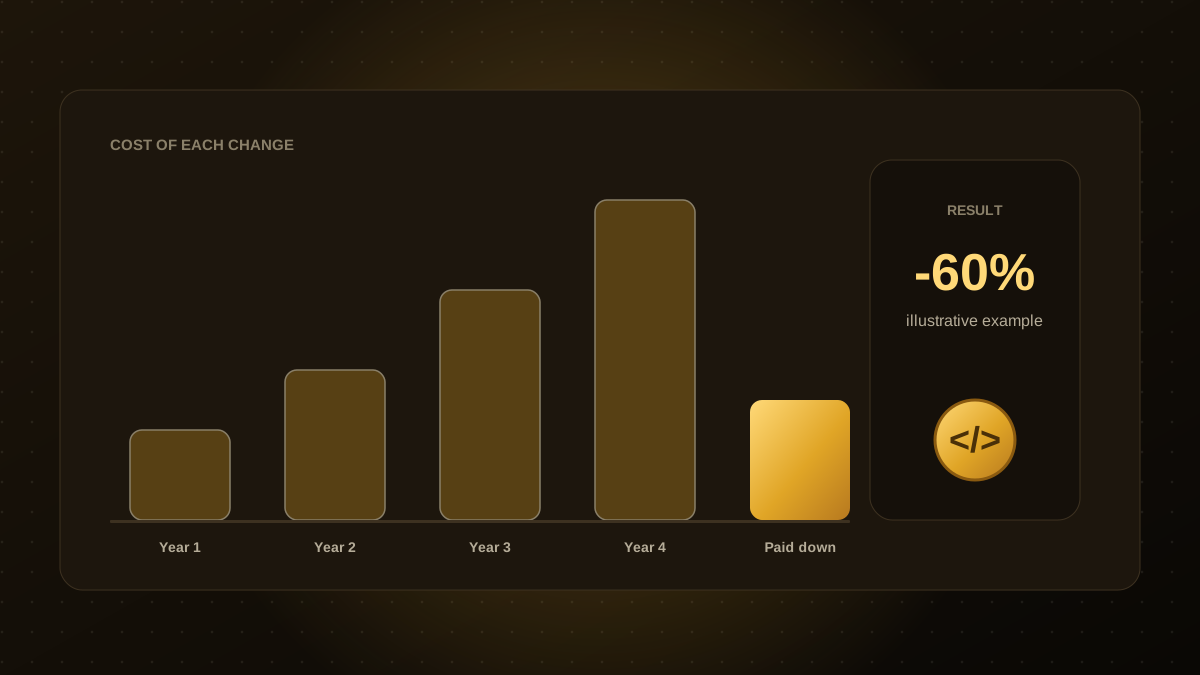
- Pay down remaining technical debt so the new system stays clean.
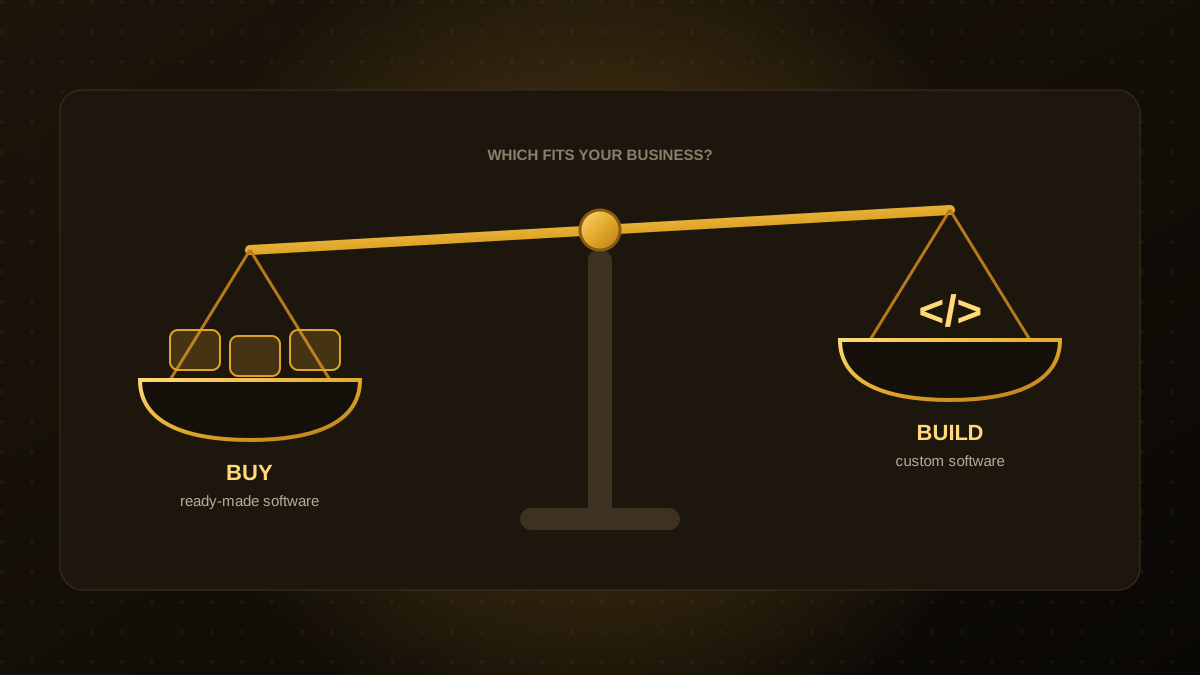
If you are weighing whether to replace a system at all, see build versus buy. Our legacy modernization team plans and runs migrations with rehearsals, reconciliation and rollback built in.

Qodexify is a remote-first team of senior engineers building web apps, AI agents, workflow automation and websites. Learn more about our legacy modernization service or talk to an engineer.