Key takeaways
- Leads go cold quickly, so the first reply should arrive within minutes, not days.
- Automate the repetitive steps: capture, enrichment, instant acknowledgement, reminders and follow-up sequences.
- Keep humans in the loop where relationships are built: qualification calls, proposals and negotiation.
- Route every lead to a named owner and set alerts for leads that are not contacted in time.
- Track response time, contact rate and conversion by source to see what to improve.
Why follow-up speed matters
When someone fills in a form or sends an enquiry, they are usually comparing several providers at the same time. The business that responds first, with something useful, has a clear advantage. Many companies still handle new leads by hand, which means enquiries wait in an inbox until someone has time, and some are never answered at all.
Automation fixes the mechanical part of this problem. It makes sure every lead is captured, acknowledged and followed up on a schedule, so your people can spend their time on the conversations that win deals.
A workflow you can copy
- Capture. Send every lead source, such as website forms, ads, email and chat, into one place, usually your CRM, with the source recorded.
- Enrich and check. Add company details automatically, detect duplicates and flag obvious spam.
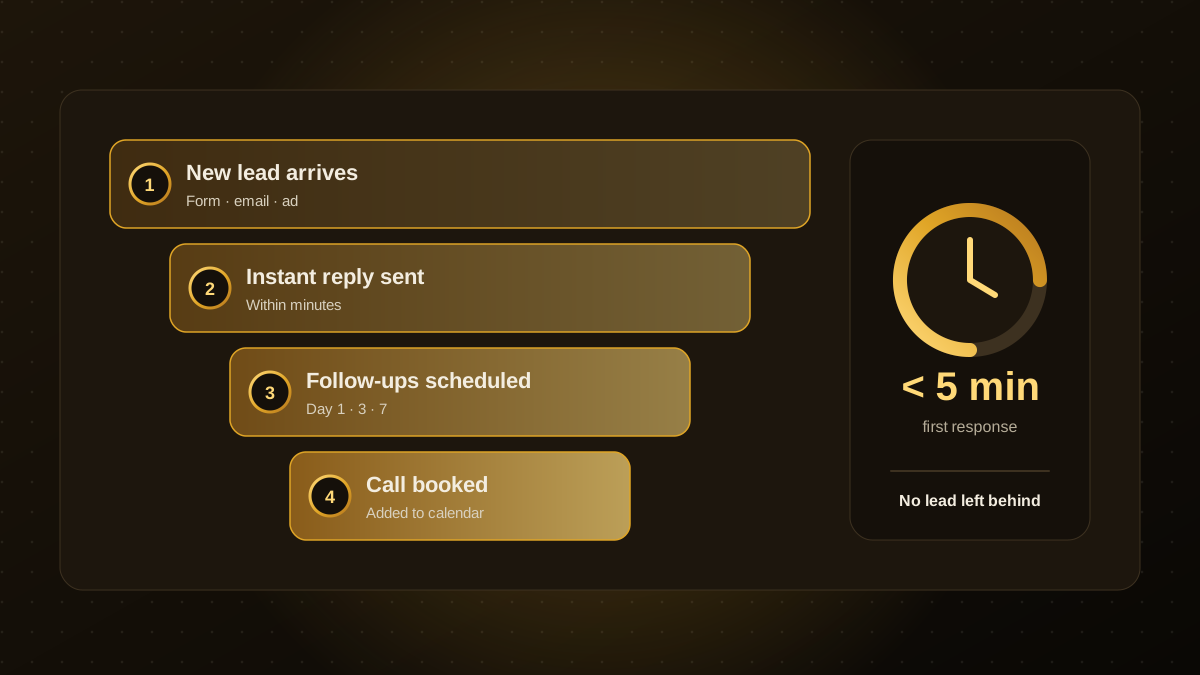
- Acknowledge instantly. Send a personal-sounding confirmation that sets expectations and offers a booking link.
- Route. Assign the lead to an owner by territory, service or round-robin, and notify them in chat or email.
- Follow up. Schedule a short sequence, for example on day 1, 3 and 7, that stops automatically when the lead replies or books.
- Escalate. If a lead is not contacted within your target time, alert the owner and their manager.
- Report. Record outcomes so you can see which sources and messages perform.
What to automate and what to keep human
| Automate | Keep human |
|---|---|
| Capturing and de-duplicating leads | Qualification conversations |
| Instant acknowledgement and booking links | Discovery calls and demos |
| Routing and owner notifications | Proposals and negotiation |
| Reminder and follow-up sequences | Replying to detailed or sensitive questions |
| Status updates in the CRM | Relationship building with key accounts |
Where AI helps
AI can make the workflow smarter without making it feel robotic. It can read an enquiry and summarise what the lead wants, score how well they match your ideal customer, draft a tailored first reply for a salesperson to approve, and answer common pre-sales questions on your site. Keep a person responsible for anything sent in your name that is not routine, and be careful with personal data, as described in our AI agent guardrails guide.
Write follow-ups people want to receive
- Reference what the person actually asked about, using the details from the form.
- Each message should add something: a relevant case study, a useful answer or a clear next step.
- Keep it short and make the call to action one click, such as a booking link.
- Stop the sequence the moment the lead engages, and give people an easy way to opt out.
Measure and improve
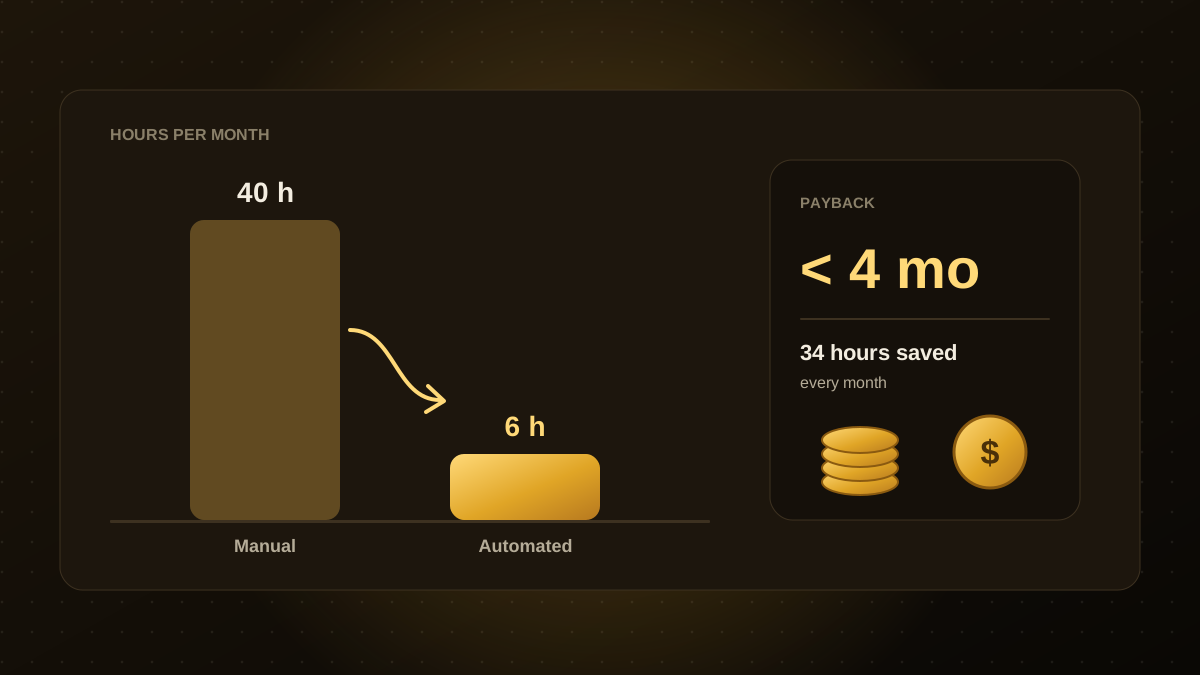
Track a handful of numbers: time to first response, percentage of leads contacted, booked-call rate and conversion by source. Review them monthly and adjust messages and timing. If you want to put a figure on the benefit, our guide to calculating automation ROI walks through the maths.
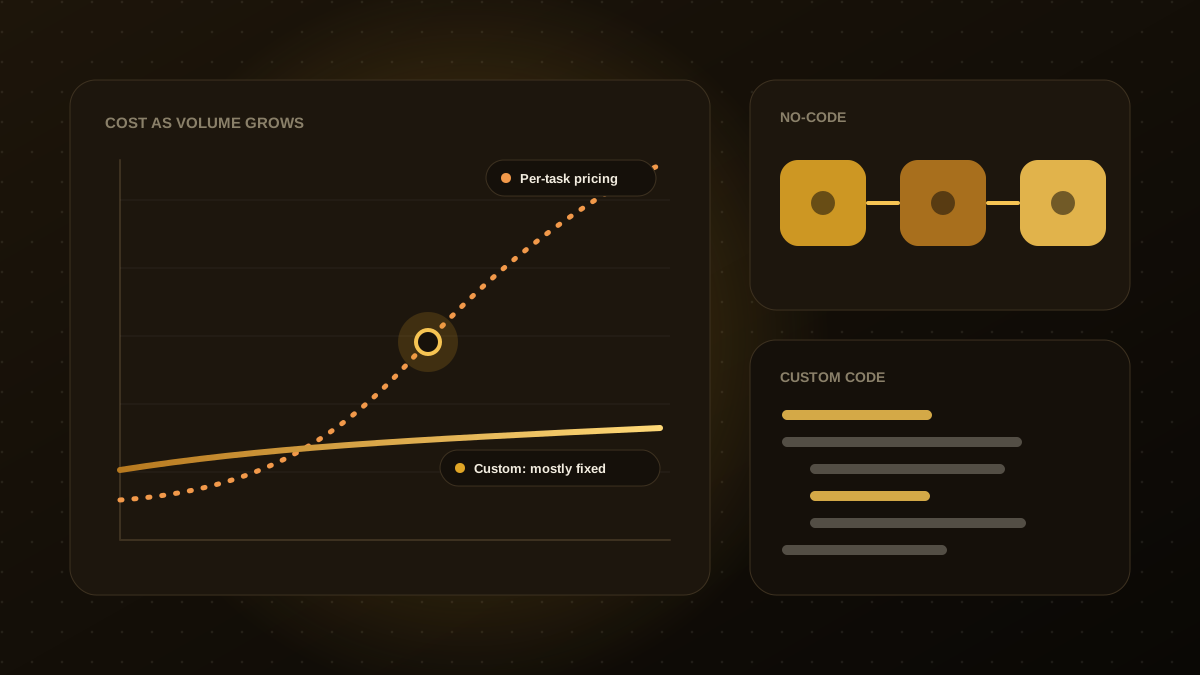
You can build a simple version of this with off-the-shelf tools in a few days. As volume grows or your process becomes more specific, a custom workflow connected to your CRM and calendar gives you more control and fewer limits.

Qodexify is a remote-first team of senior engineers building web apps, AI agents, workflow automation and websites. Learn more about our workflow automation service or talk to an engineer.