Key takeaways
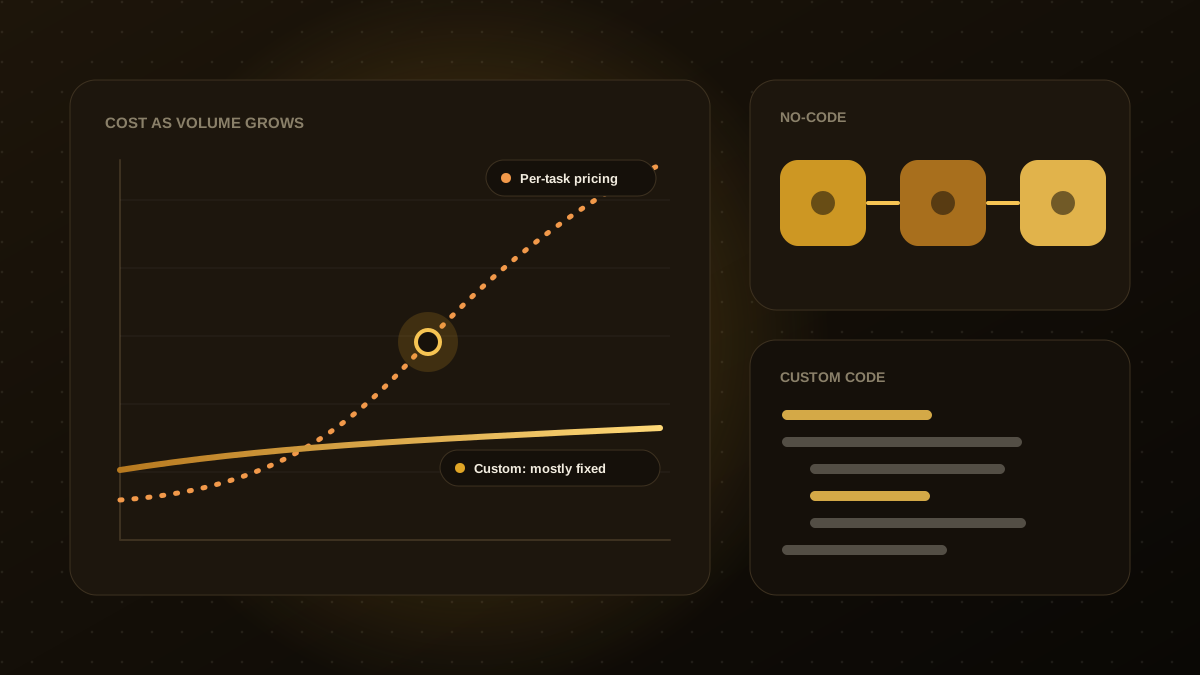
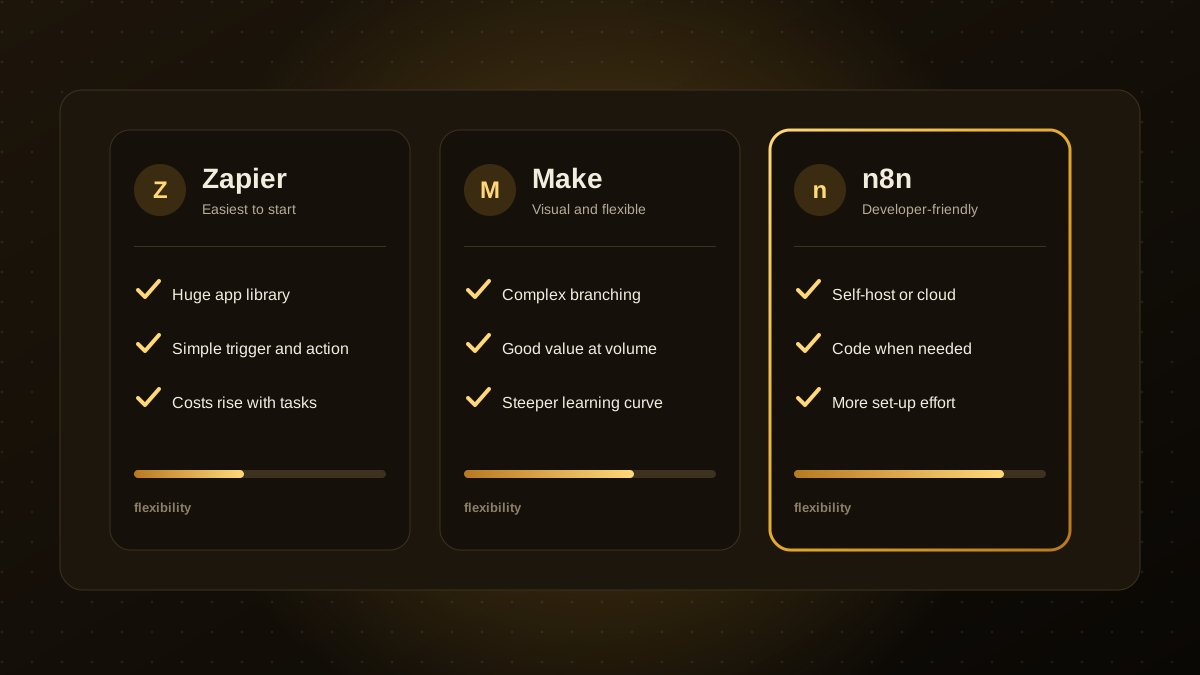
- Zapier is the easiest to start with and has the largest app library, but costs can climb as task volumes grow.
- Make offers a visual canvas for complex, branching workflows, often at a lower cost per operation.
- n8n is developer-friendly, can be self-hosted and allows custom code, with more set-up effort.
- All three now support AI steps and agents, so the choice usually comes down to complexity, volume, data control and who maintains the workflows.
- Pick the simplest tool that meets your needs and plan for what happens if you outgrow it.
What they have in common
Zapier, Make and n8n are workflow automation platforms. You pick a trigger, such as a new form submission, and chain steps that move data between apps, transform it and take actions. All three have libraries of integrations and can call any service with an API, and all have added AI features for tasks such as summarising text, classifying messages and running AI agents inside a workflow.
Side-by-side comparison
| Zapier | Make | n8n | |
|---|---|---|---|
| Learning curve | Gentlest | Moderate | Steeper |
| Interface | Linear step lists | Visual canvas | Node canvas |
| Complex logic | Possible, can get awkward | Strong, with routers and iterators | Strong, with code nodes |
| Integrations | Very large library | Large library | Large and growing, plus custom nodes |
| Hosting | Cloud only | Cloud only | Cloud or self-hosted |
| Pricing model | Per task | Per operation | Per execution (cloud) or your own server cost |
| Best for | Quick wins, non-technical teams | Complex automations on a budget | Technical teams, data control, custom logic |
Plans and prices change often, so check each vendor's current pricing before you commit.
Choose Zapier if
- Your team is non-technical and wants results this week.
- You depend on a niche app that only has a polished Zapier integration.
- Volumes are modest and workflows are mostly linear.
Choose Make if
- Your workflows branch, loop or transform data heavily.
- You want a visual map of what each automation does.
- Cost per operation matters as volume grows.
Choose n8n if
- You want to self-host for privacy, compliance or cost control.
- You are comfortable with some code and want to build custom logic or nodes.
- You are building AI-heavy workflows and want fine control over prompts, tools and data.
Things people forget
- Ownership. Who builds, documents and fixes the workflows when the author leaves?
- Error handling. Failed steps should alert someone, not silently drop data.
- Security. Use dedicated service accounts and least-privilege access for connected apps.
- Exit plan. Our guide on when to outgrow no-code explains the signs that you need something more tailored.
Not sure which fits? Our workflow automation team works with all three and can recommend the right one for your processes.

Qodexify is a remote-first team of senior engineers building web apps, AI agents, workflow automation and websites. Learn more about our n8n and workflow automation service or talk to an engineer.