Key takeaways
- Automation ROI comes down to three numbers: what the process costs today, what the automation costs to build and run, and how much of the work it removes.
- Payback period, meaning build cost divided by net monthly savings, is the easiest number to explain to a decision maker.
- Use the fully loaded cost of staff time, not just salary, and count errors and rework as well as hours.
- Include ongoing costs such as hosting, API usage and maintenance, or the case will look better than reality.
- Start with frequent, rule-based, high-volume processes where the savings are easiest to measure.
The formula
You do not need a complicated model to judge an automation project. Four simple calculations are enough:
- Monthly savings = hours saved per month × loaded hourly cost, plus the cost of errors and rework avoided.
- Net monthly benefit = monthly savings minus monthly running costs.
- Payback period = one-time build cost ÷ net monthly benefit.
- First-year ROI = (net monthly benefit × 12 minus build cost) ÷ build cost.
Loaded hourly cost means what an hour of the employee's time really costs the business, including salary, benefits, software and overhead. It is typically noticeably higher than the hourly wage alone.
A worked example: invoice processing
The numbers below are illustrative, not a promise of results. They show how the maths works so you can plug in your own.
| Item | Value |
|---|---|
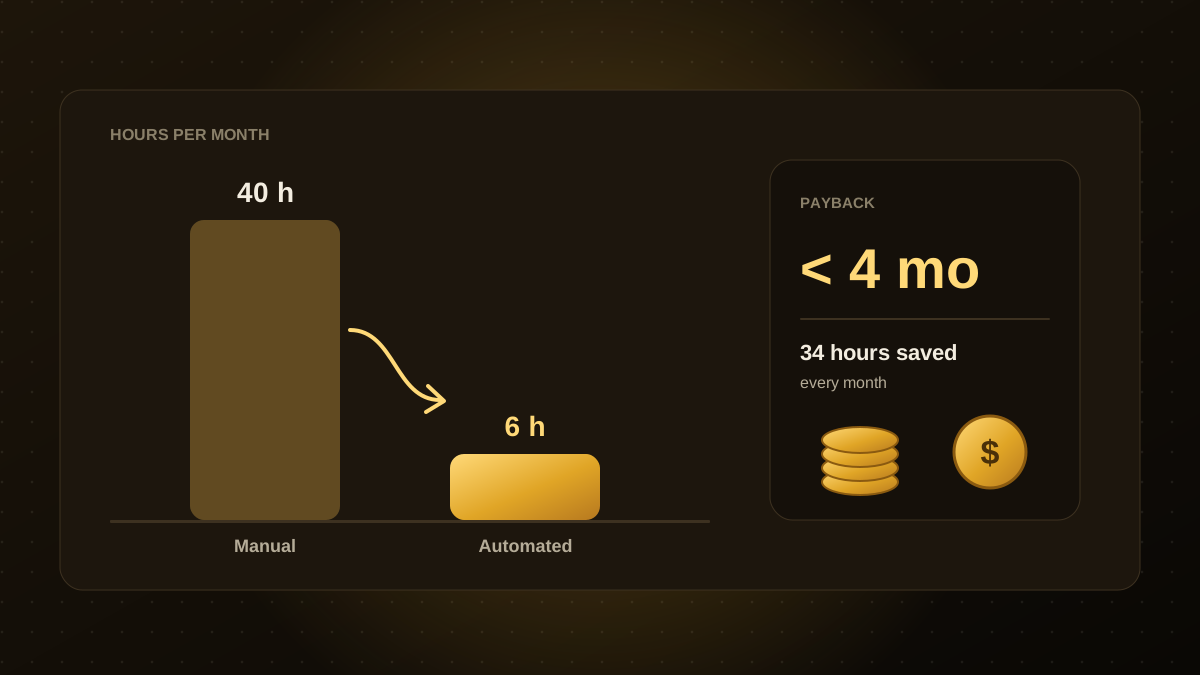
| Manual time spent on invoices today | 40 hours per month |
| Time remaining after automation (exceptions, review) | 6 hours per month |
| Hours saved | 34 hours per month |
| Loaded hourly cost | $40 |
| Monthly savings | 34 × $40 = $1,360 |
| Running costs (hosting, API usage, maintenance) | $150 per month |
| Net monthly benefit | $1,210 |
| One-time build cost | $4,500 |
| Payback period | $4,500 ÷ $1,210 ≈ 3.7 months |
| First-year net gain | $1,210 × 12 − $4,500 = $10,020 (about 223% ROI) |
Even if the savings turn out to be half of what was estimated, this project still pays back within the first year. Testing the case against a pessimistic scenario is a good habit.
Do not forget the benefits that are not hours
- Fewer errors. Manual data entry produces mistakes that cost time and money to fix. Estimate how many errors occur and what each one costs.
- Faster turnaround. Quicker invoice approval can capture early-payment discounts or avoid late fees. Faster lead response tends to improve conversion.
- Capacity. Freed-up time can go to higher-value work. Count it only if you have a specific plan for that time.
- Consistency and auditability. Automated steps follow the same rules every time and leave a record.
These benefits are real but harder to measure. Keep them separate from the hard-savings calculation so the core case stands on solid numbers.
Count the costs honestly
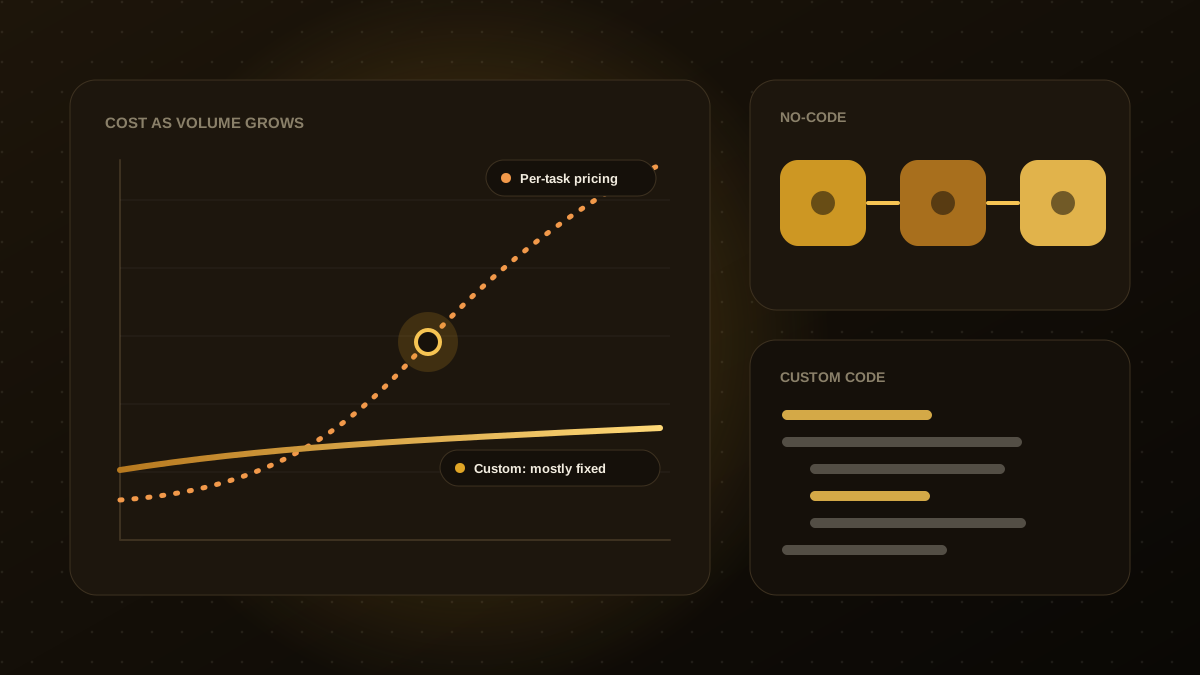
A realistic cost estimate includes the build, but also the pieces that are easy to forget: ongoing hosting, usage-based fees for AI models and third-party tools, monitoring, and time to maintain and adjust the workflow as your business changes. Allow for a handful of hours each month of attention, especially in the first quarter.
Which processes give the best ROI
The strongest candidates share four traits: they happen often, they follow clear rules, they involve several systems or manual copy and paste, and errors are costly. Invoice handling, lead routing, report generation, onboarding and support triage are common examples. If you are unsure where to begin, our guide to the business processes to automate first explains how to prioritise.
Common mistakes
- Using salary instead of loaded cost, which understates the savings.
- Assuming 100% of the work disappears. Exceptions and review usually remain.
- Ignoring maintenance. Workflows need updates when tools and processes change.
- Automating a broken process. Simplify first, then automate.
- Skipping a baseline. Measure the current time and error rate before you start, or you cannot prove the result later.

Qodexify is a remote-first team of senior engineers building web apps, AI agents, workflow automation and websites. Learn more about our workflow automation service or talk to an engineer.