
Service
API Development & Integration.
Connect your systems and expose a clean, secure API for your product, partners or AI agents, with documentation, monitoring and versioning built in.
What are API development and integration services?
API development is the design and build of the interfaces that let software systems exchange data and trigger actions. Integration connects your existing tools, such as CRM, accounting, payments and legacy software, so data is entered once and flows everywhere it is needed. Qodexify designs REST and GraphQL APIs, builds integrations and webhooks, and documents them properly. A single integration takes 1–3 weeks; an API for a product takes 4–8 weeks.
What’s included
What we deliver
API design
Clear, consistent REST or GraphQL interfaces designed around your users, with OpenAPI documentation.
System integrations
Connections between your CRM, accounting, e-commerce, payments, email and internal systems.
Webhooks and events
Real-time updates and event-driven flows, with retries and dead-letter handling.
Authentication and limits
OAuth, API keys, per-client permissions, rate limiting and input validation.
Docs, SDKs and sandboxes
Developer documentation, examples and test environments that make adoption easy.
Monitoring and versioning
Logging, alerting and a versioning policy so changes never surprise your clients.
Our approach
How a project runs
Define the contract
We agree what data and actions the API exposes and who uses it.
Design and document
We write the specification first, so teams can build in parallel.
Build and secure
We implement with authentication, validation, tests and monitoring.
Launch and support
Gradual rollout, client onboarding and version management.
Use cases
Typical projects
Common projects where this delivers the fastest return.
Third-party integrations
Connect payments, CRM, accounting, shipping or marketing tools to your product.
Partner and customer APIs
Let customers integrate with your platform securely.
Mobile and web app backends
A clean API behind your apps.
Legacy system wrappers
Expose old systems through a modern API without rewriting them.
Data synchronisation
Keep systems consistent without manual re-entry.
APIs for AI agents
Safe, well-described endpoints and MCP servers that agents can use.
Cost & timeline
Typical timeline and budget
Indicative ranges for projects of this kind. Pricing depends on the number of endpoints and systems, data volumes and security requirements.
| Project type | Typical timeline | Typical budget |
|---|---|---|
| Single integration between two systems | 1–3 weeks | $3k–$10k |
| API for your product or partners | 4–8 weeks | $12k–$35k |
| Multi-system integration platform | 8–16 weeks | $30k–$80k |
FAQ
Frequently asked questions
REST or GraphQL?
REST is the simple, universal default. GraphQL helps complex apps with many clients. We help you choose, as explained in our API styles guide.
Can you integrate with software that has no API?
Often yes, through exports, database access, file transfers or, as a last resort, screen-based automation. We assess options in discovery.
How do you keep APIs secure?
Authentication, least-privilege permissions, input validation, rate limiting, logging and regular dependency updates.
Can you document our existing API?
Yes. We create OpenAPI specifications, guides and examples, and improve consistency where needed.
Do you build MCP servers too?
Yes. See our MCP server development service for exposing your systems to AI agents.
Who owns the code?
You do, with full documentation and access at handover.
From the blog
Guides on this topic
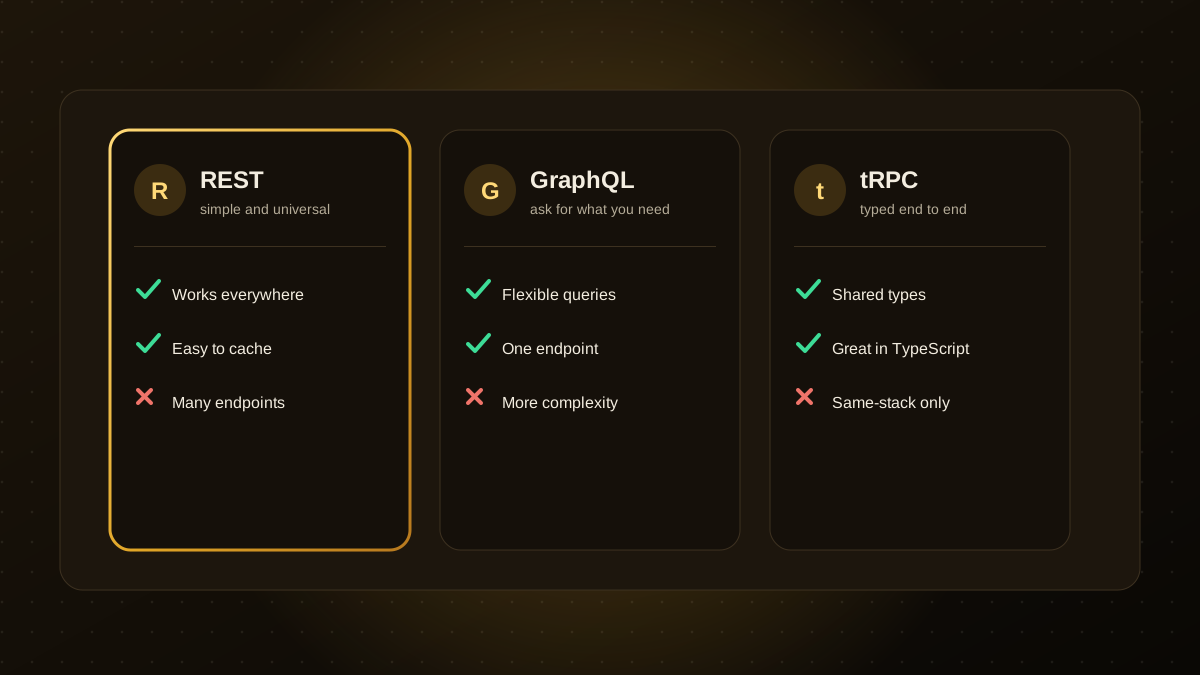
REST vs. GraphQL vs. tRPC: Choosing an API Style for Your Product
REST, GraphQL and tRPC each connect your front end to your back end in a different way. Compare their strengths and trade-offs to pick the right API style for your product.
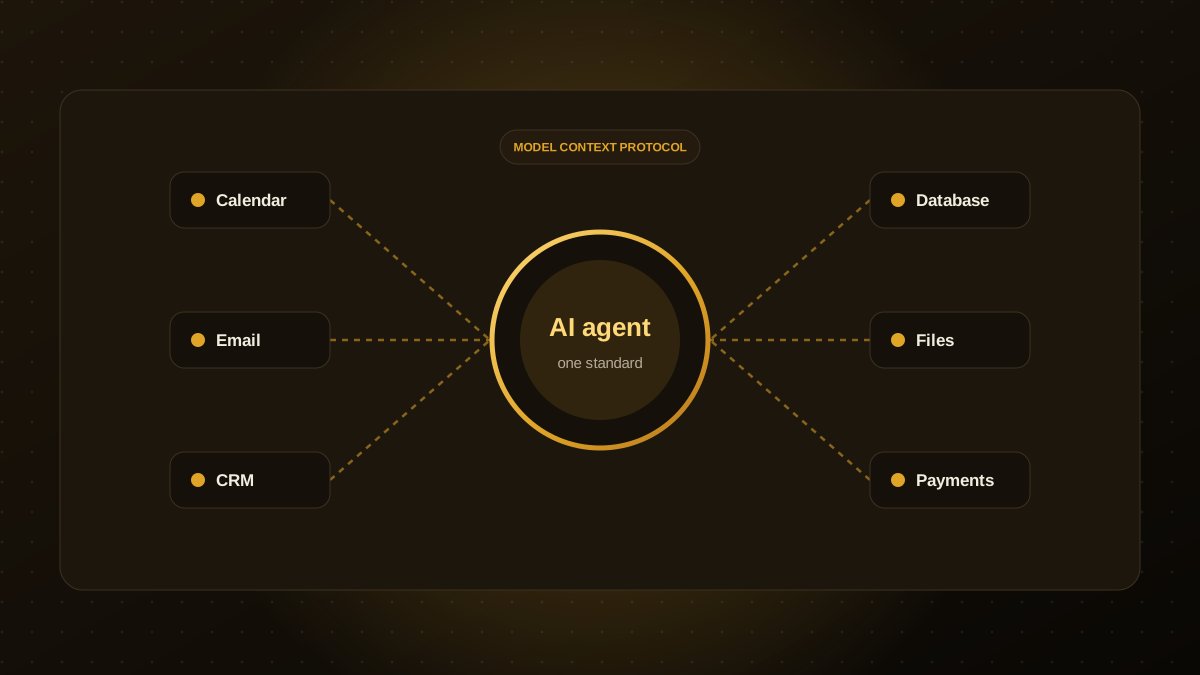
What Is the Model Context Protocol (MCP)? A Guide for Business Leaders
MCP is an open standard that lets AI agents connect to your tools and data in a consistent way. Learn how it works, what it enables and what to check before adopting it.
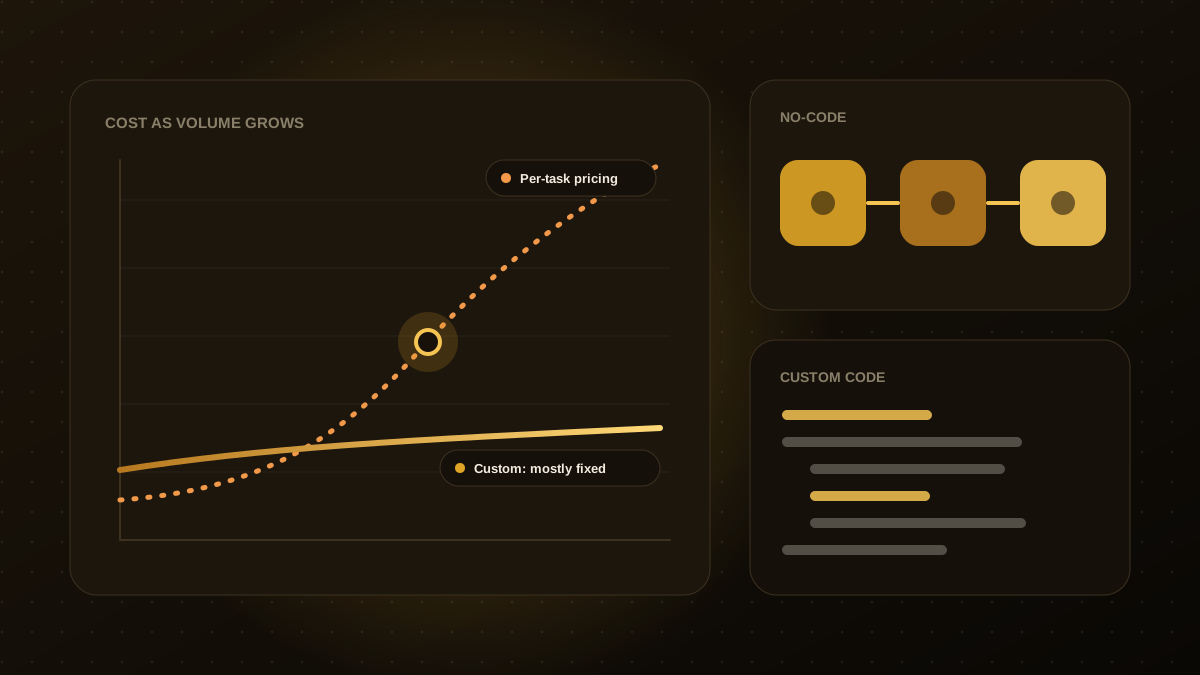
Zapier vs. Custom Automation: When to Outgrow No-Code
No-code tools are a great way to start. Here are the signs you have outgrown them and what to move to next.